Do you want to get in front of someone else's newsletter audience? Reletter indexes millions of newsletters across Substack, LinkedIn and Ghost.
Manual searches can take hours. But because each resource page reveals data you won’t see on public profiles, using Reletter slashes the time it takes to build a tight, targeted list.
Here’s a practical, step-by-step workflow you can follow to find 30 suitable newsletters in approximately 30 minutes using Reletter.
Table of Contents
Why are you reaching out?
Let's just check your purpose. Do you want to:
- Sponsor the newsletter?
- Advertise your product or service?
- Be featured or interviewed in an upcoming issue or blog post?
- Feature the author in your own newsletter?
- Write a guest column?
- Suggest a content swap?
- Invite cross-promotions with other newsletter creators?
Will you target one newsletter platform or work across all three? Your purpose and platform will shape the search terms and the filters you use.
The scenario
Let's suppose I'm a B2B SaaS marketer, with a weekly newsletter on product-led growth (PLG).
I've written a short series on well-known product-led companies like Canva, or Airtable to help other marketers learn about the concept. Now, I'm hunting for SaaS marketing newsletters interested in featuring my series as a guest post or content swap.
Step 1 - Use the search tool and filters
Start on the Home screen and type in a topic that matches your niche or campaign goal – for example:
- “B2B SaaS marketing”
- “Personal Finance for Millennials”
- “Productivity for creatives”
Reletter will search across titles and descriptions, then order the results by relevance and estimated subscribers.
💡 Tip: If you've got a specific newsletter or writer in mind, switch your search to Title or Author to quickly surface that resource page.
Example — my marketing newsletter list:

Here's the top view of my initial search, with the topic B2B SaaS marketing. The full list is 200 pages long, but many of them won't be suitable for my list. So, I'll narrow down the field by applying Reletter's search filters.
Zoom in with filters:
Use Reletter's advanced filters to focus the search more.
For example, if we were searching for newsletters to sponsor, we'd use the Sponsored filter so the list would then only show newsletters that accept sponsors or ads.
If you wanted to target a Spanish-speaking audience, you'd set the Language filter to Spanish. If you were aiming for well-established newsletters with lots of readers, you'd set a suitable range on the Subscribers and Issues filters.
If the publishing schedule matters, open the Publishes filter and set it to the cadence you want: monthly, weekly, twice-weekly or daily. Select Platform if you only want to work with newsletters on one platform (e.g., Substack.)
💡Top Tip: Active is one must-use filter in an outreach search. You don't want to waste time on sunsetted newsletters.
Example — my marketing newsletter list with filters and other keywords:
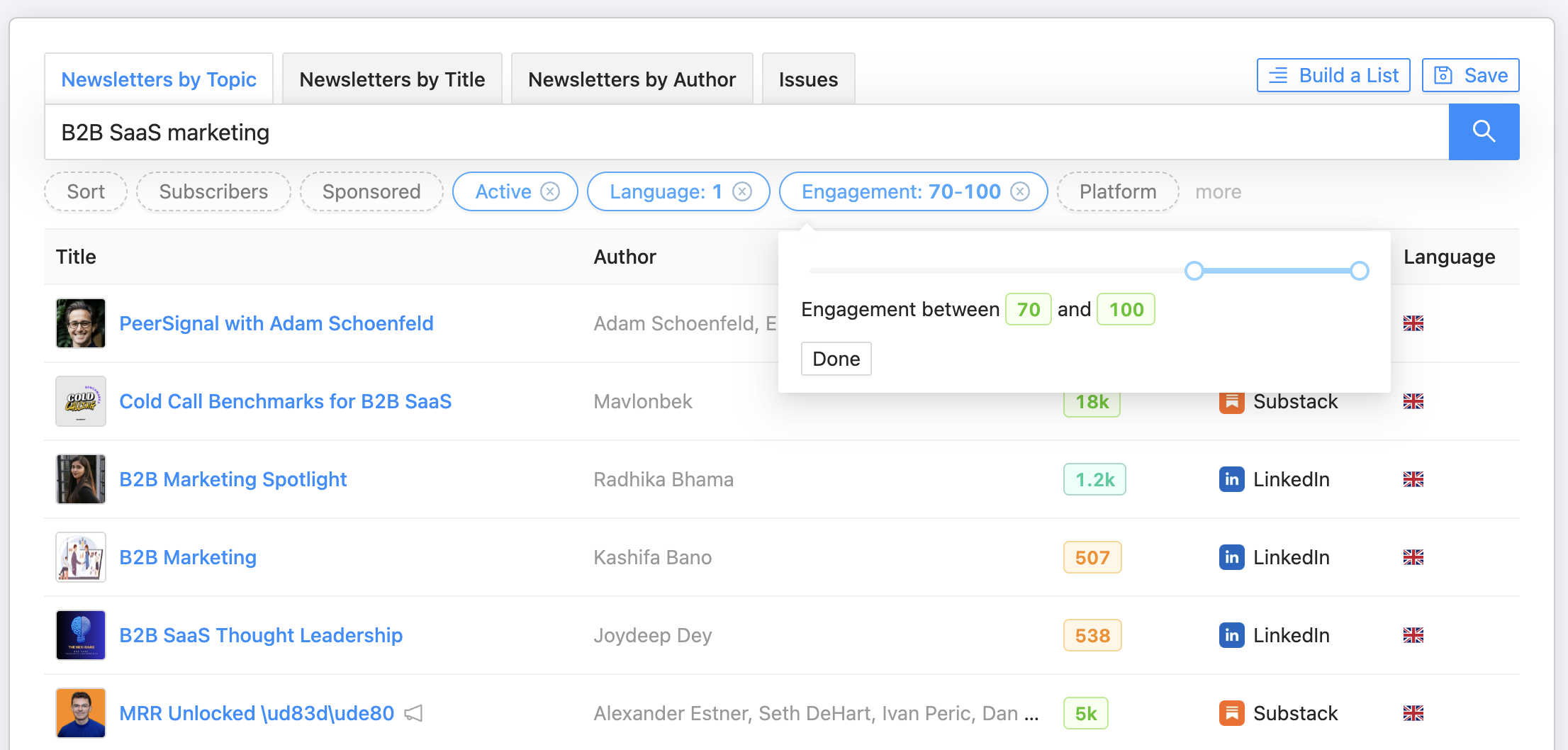
Here's my search again, using the Active, Language (English) and Engagement filters (because I want newsletters where readers regularly like and comment on issues.)
Using these filters reduced the results to 12 pages (from 200 ) so I pressed the Save button to come back to that search later and tried a few other keywords to see what came up.
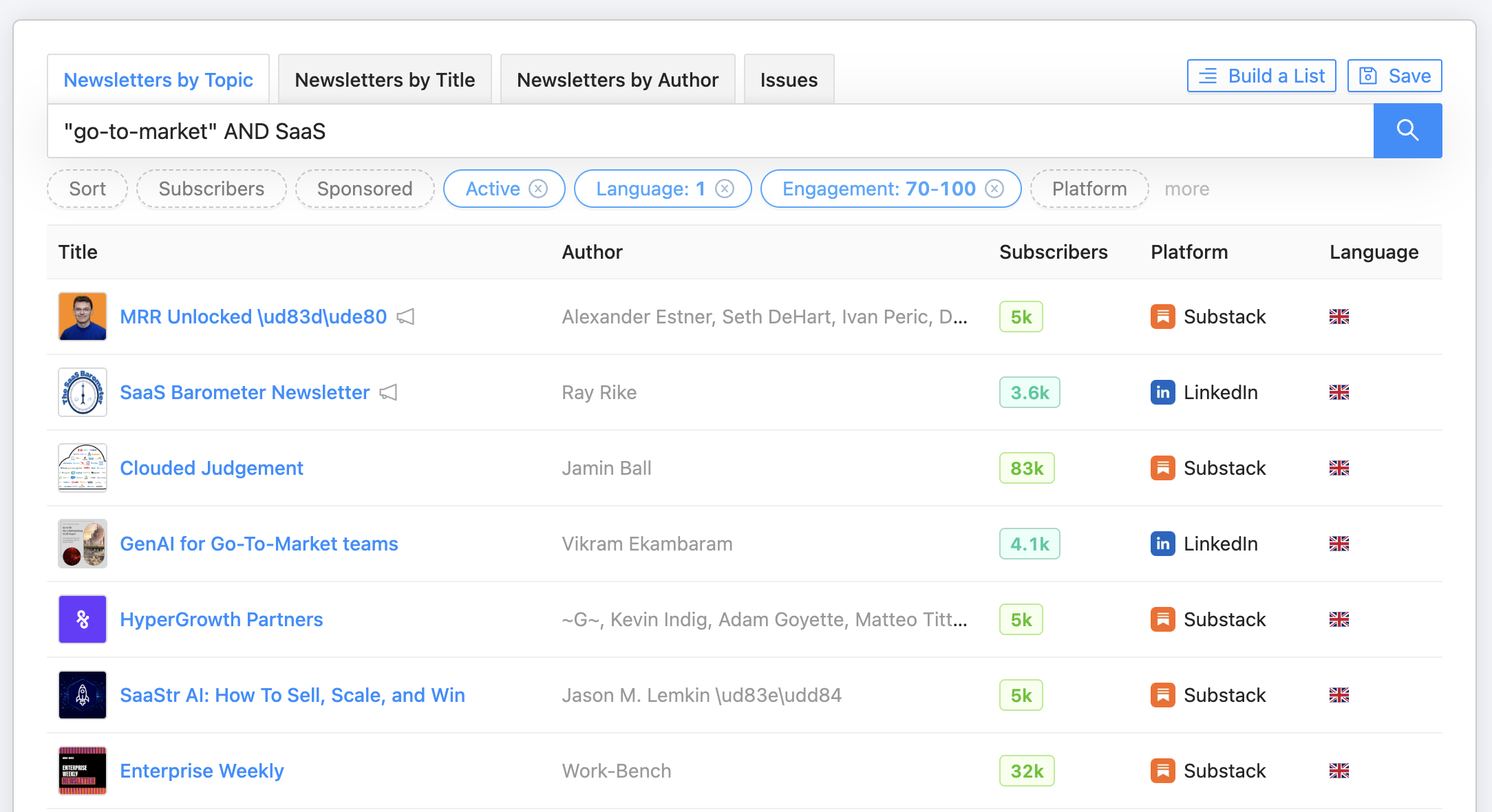
Try different keyword combinations
Try different keyword combinations and search operators to refine your results. For example, in my search I could try:
- B2B AND SaaS (to force both terms.)
- "product-led growth" (to find exact mentions of PLG.)
- "SaaS marketing" AND newsletter (to focus on marketing-focused publications.)
- SaaS -crypto (to exclude topics I don’t want.)
- "go-to-market" AND SaaS (to bring up practical ‘how to grow a SaaS product’ newsletters)
Using search terms, filters and different keyword combinations has brought up many possible newsletters. Now, I'll use Reletter's newsletter data to find the strongest candidates.
Step 2 - Qualify the newsletter with data
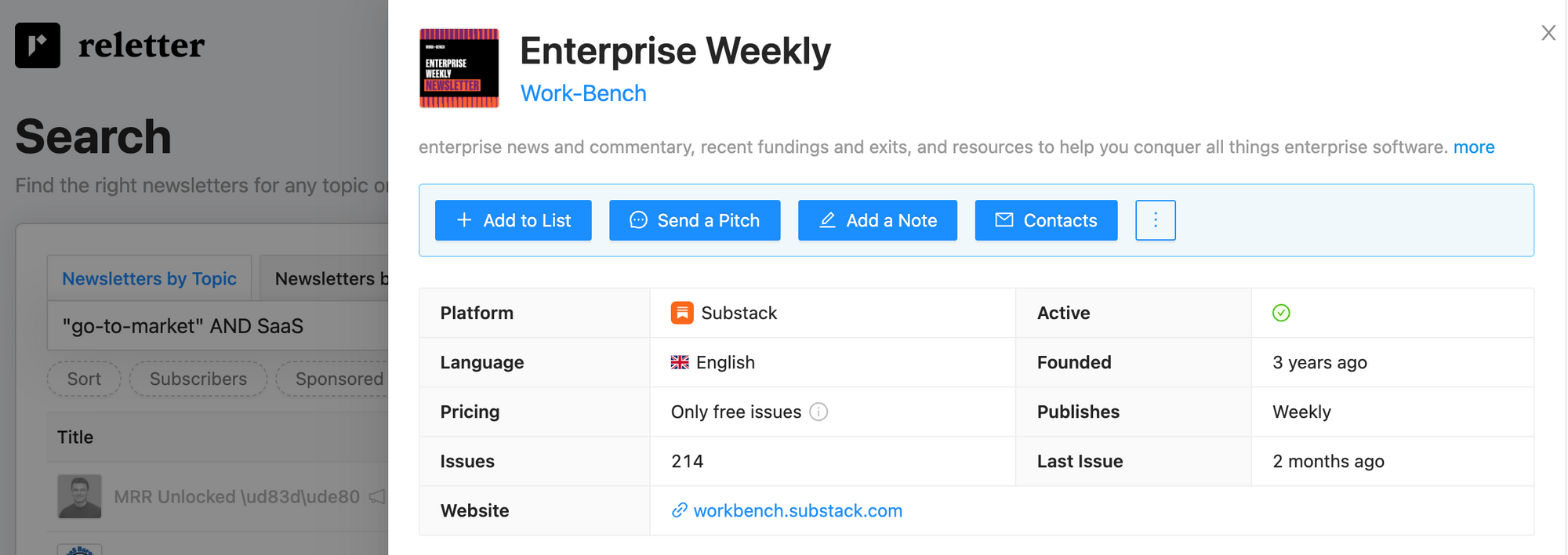
Click on a likely-looking newsletter result to open its resource page. This is where Reletter’s data helps you move quickly from “looks relevant” to “definitely worth pitching”.
Check these key sections:
1. Basics
- Read the description to confirm topic fit
- Note whether it’s free, paid or freemium
- Scan how long it has been running and how frequently it publishes
2. Audience section
- Subscribers – Reletter’s estimate of list size based on many public signals
- Monthly visits – a proxy for how much traffic the newsletter’s site gets
- Engagement score – a 0-100 score based on recent growth in likes and comments on issues
Together, these tell you whether a newsletter is tiny but engaged, big but sleepy or somewhere in between.
3. Sponsorship section
If you’re planning paid ads, check the estimated sponsorship range to see whether it fits your budget. Reletter provides a ballpark so you’re not going in blind.
4. Charts
See the newsletter's categories and how the it ranks in the Substack charts.
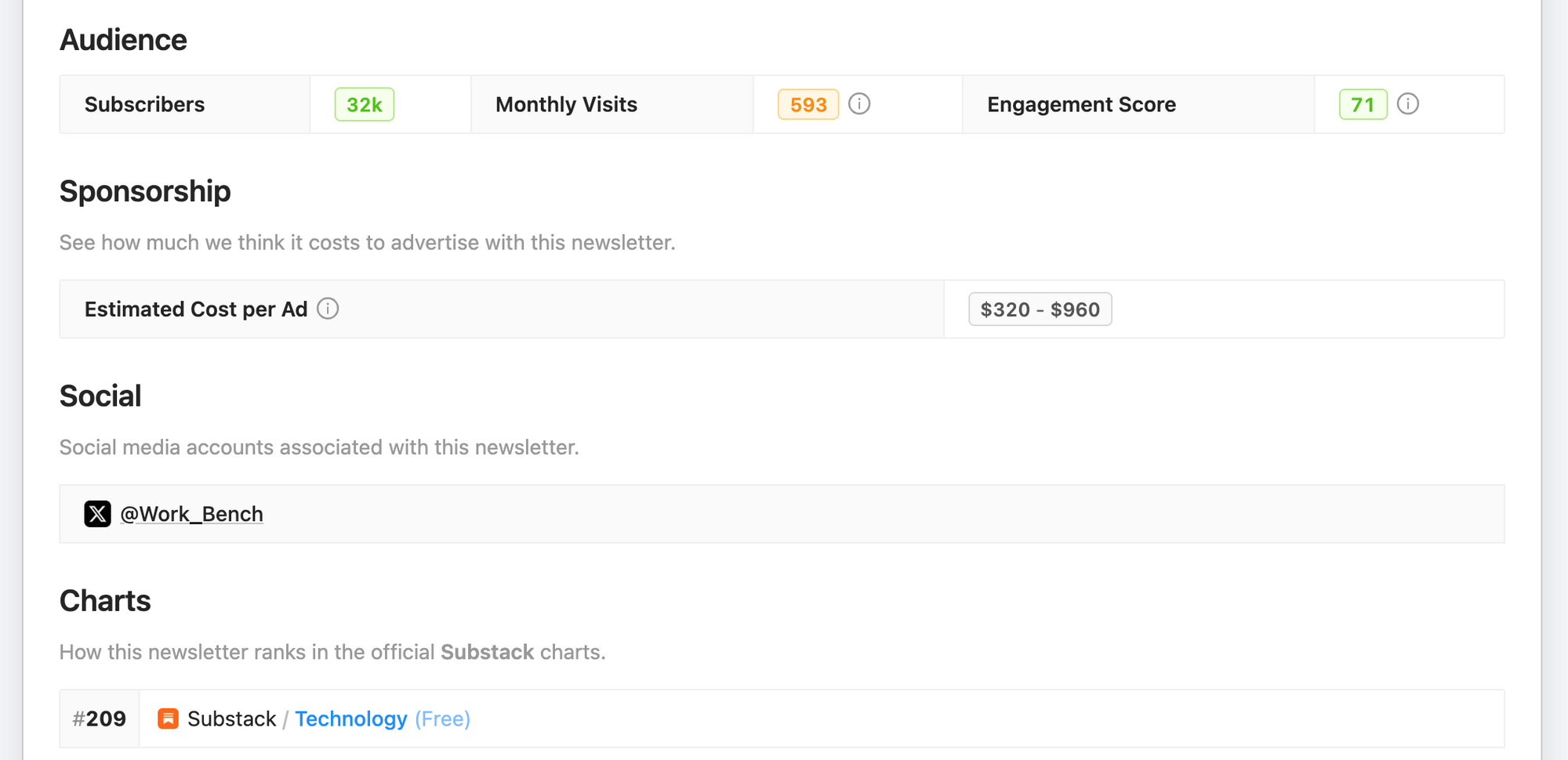
All this data helps you estimate things like:
- Does it have the reader numbers I'm looking for?
- Is the engagement level healthy enough to justify reaching out?
- Does the estimated ad range make sense for my budget?
Step 3 - Read previous issues
Data gets you most of the way there, but tone and format matter too. So open the Latest issues to skim recent issues. Read on Reletter's platform (this is your fastest option) or tap Read the original to see it on the newsletter site.
Personally, I prefer going to the actual site, so I can see the layout, images and so on. It takes a fraction longer but gives me a better idea of how that issue looks and the newsletter as a whole. You can also scroll down to see any comments.
Here's how you do it:
Scroll to Latest issues:
- Open 2–5 recent issues in new tabs
- Scan the subject lines and intros. (Of course, you can read each issue in full if you like — and I often do that — but it will put you over our 30-minute deadline.)
- Check engagement (likes, comments) as a reality check on the engagement score
You’re trying to answer questions like:
- Would my offer, product or story feel at home in this newsletter?
- Do they already run sponsorships or partner content and, if so, how is it framed?
- Are they writing for beginners, intermediates or advanced readers?
Example — my criteria
I'm aiming to write for the newsletter so as well as the above info, I'm looking for things like:
- Regular sections I might slot into
- Format & tone (I can restructure my series to match if necessary)
- Have they covered ideas or themes like my series recently?
- Have they used guest posts before?
Step 4 - Add the newsletter to a list
Once a newsletter passes your data and content checks, don’t leave it floating in a spreadsheet somewhere.
Add it to your Reletter list.
There are two fast ways to build your list:
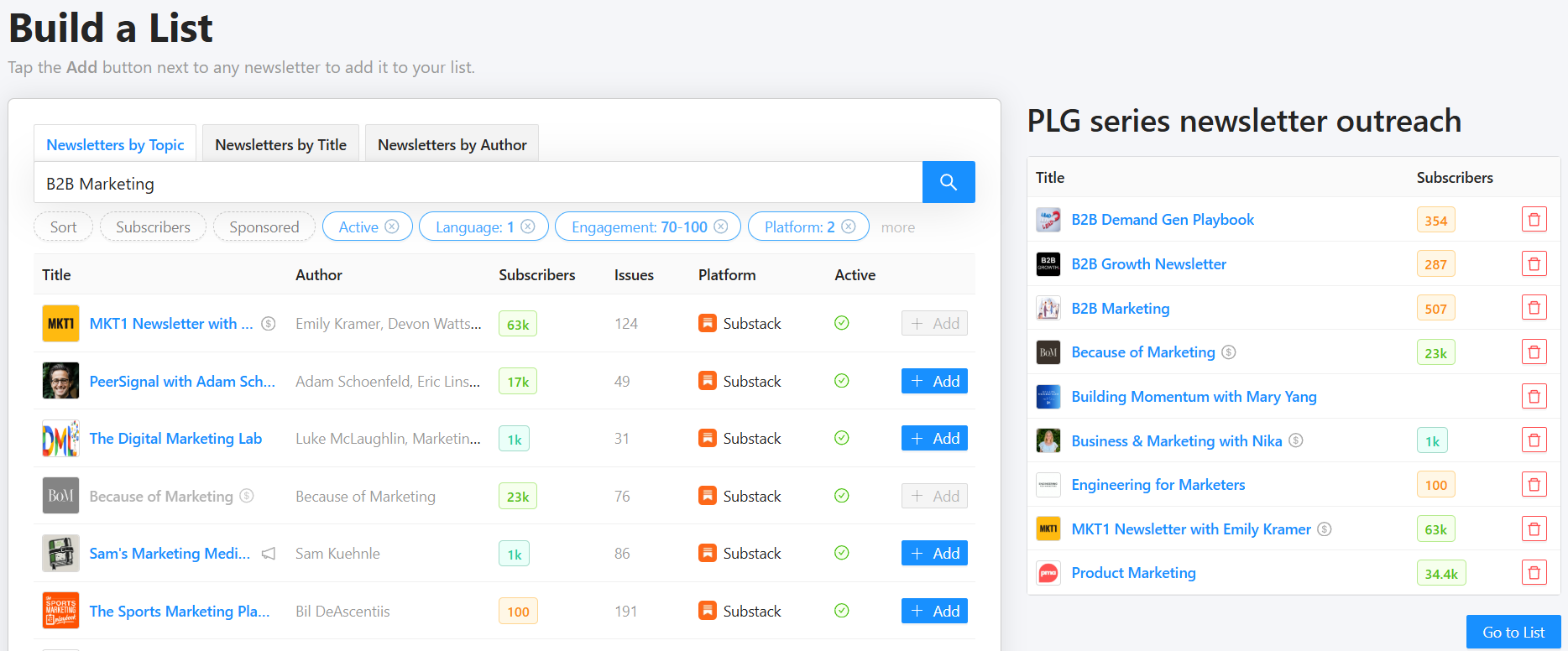
- From the search screen
- After you search, click Build a list
- An Add button appears beside each search result
- Click Add for every newsletter you want to include
- Name your list something clear and easy to find when you come back to look for it.
2. From the newsletter page
- On any newsletter page, click Add to list in the top-right corner
- Add it to an existing list or create a new one on the fly
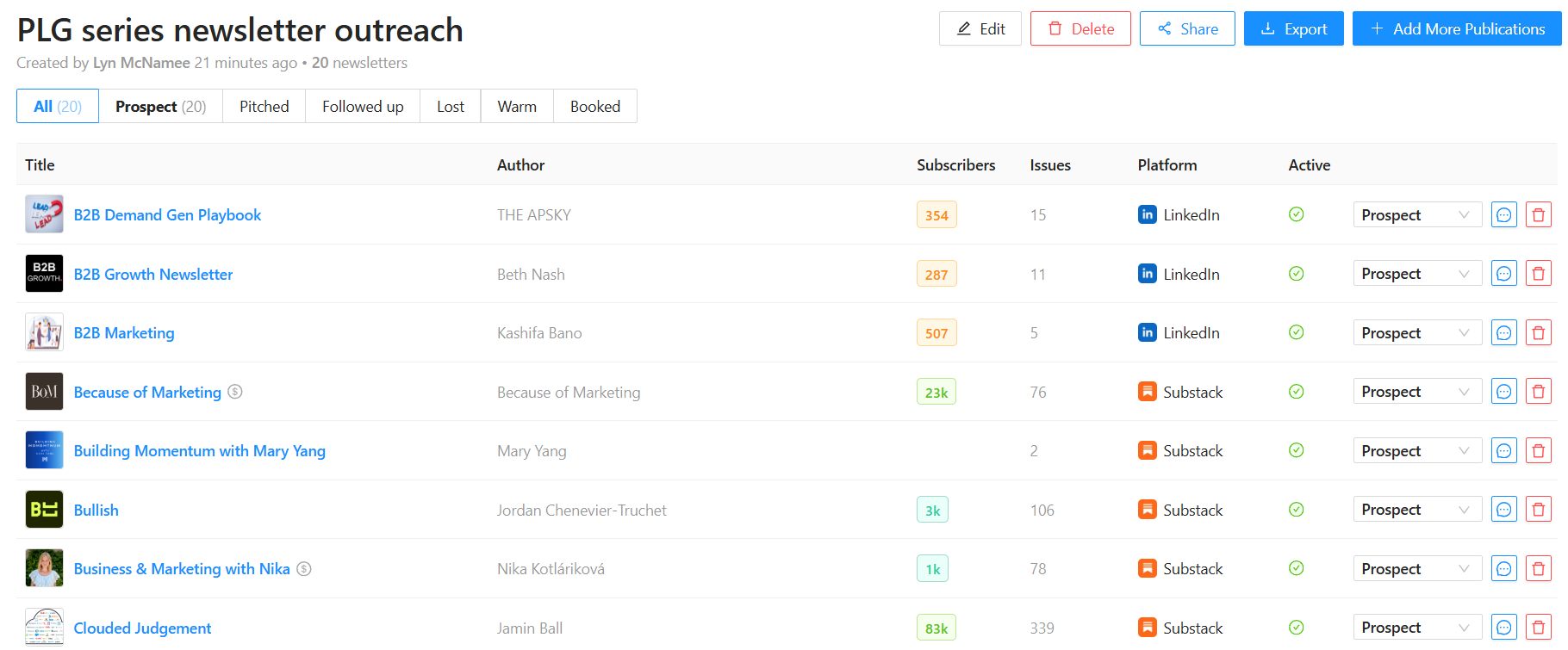
You can view your list at any time by clicking Lists in the top-right corner. From there you can:
- Scan all target newsletters in one place
- Open individual newsletter pages
- Use Reletter's outreach template to pitch the newsletter
- Use the list as a pipeline manager
- Remove items as you refine
- Export your list as a CSV to bring into your CRM or outreach tool, complete with contact emails.
Example — I've started my list of possible newsletters
Step 5 - View related newsletters
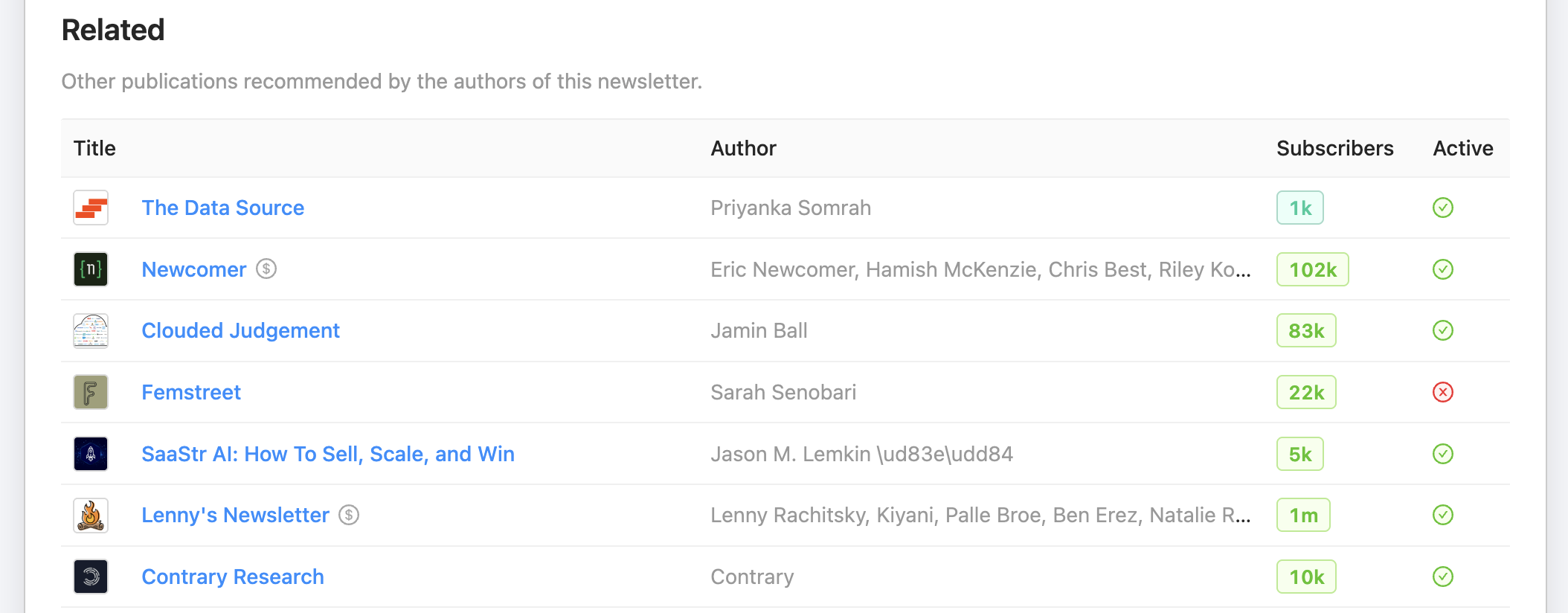
When you've found a strong contender, open its Reletter page and scroll down to the related section.
Reletter shows newsletters recommended by that publication’s authors. That's your shortcut to more publications with overlapping audiences.
Here’s how to use it:
- Open your best-fit newsletters
2. Open their Related section
3. Scan through the newsletters and quickly qualify using:
- Titles and descriptions
- Audience estimates and engagement scores
- Recent issues
4. Use the three dots menu to “Create a new list from these” or add them individually to your existing list.
💡Bonus tip
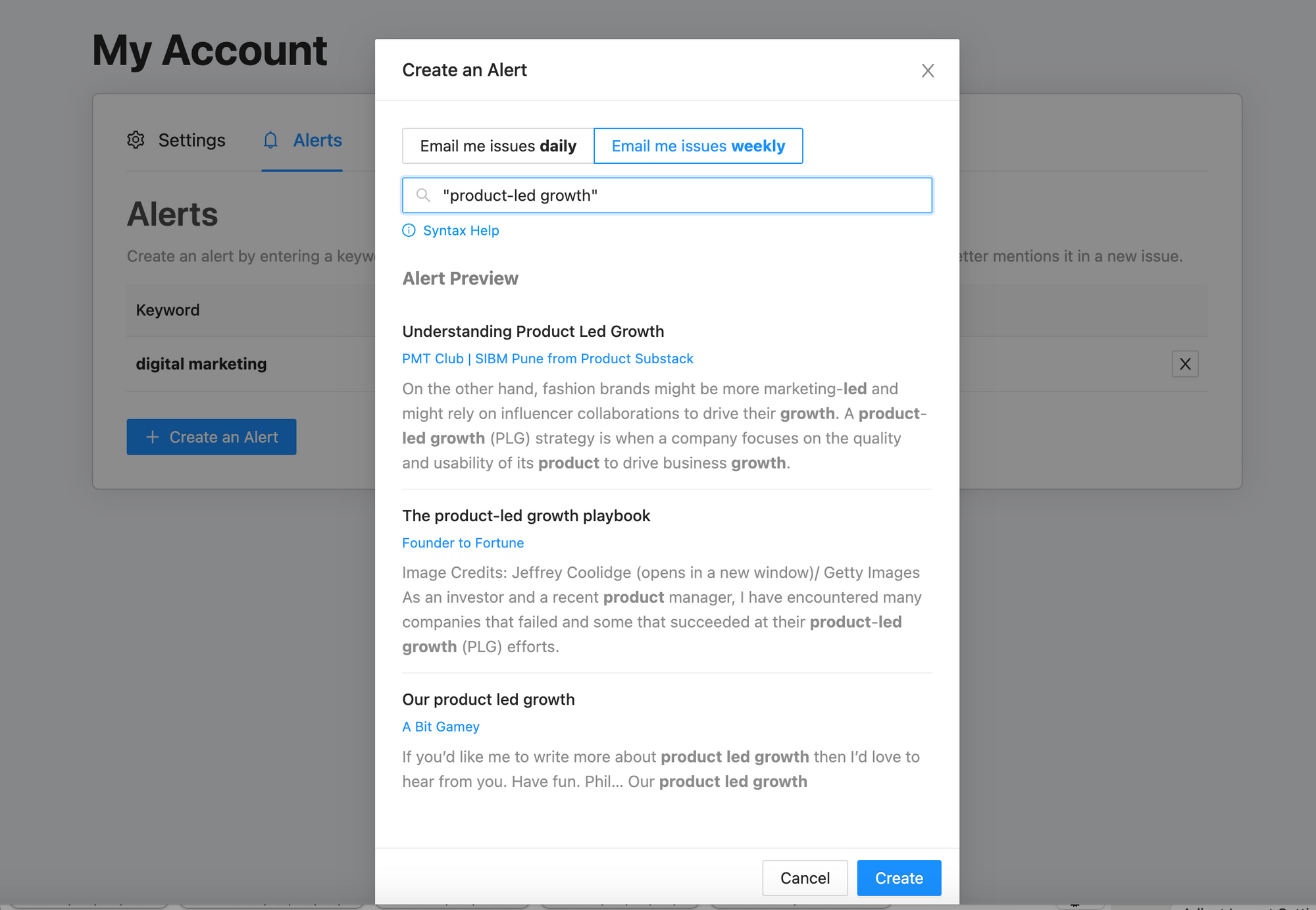
Your 30-newsletter list is your starting point, not the end. Set up alerts in Reletter so you keep discovering new opportunities without manual searching every week.
On your Alerts page you can:
- Create an alert for a keyword or phrase. You'll see a live preview of matching issues as you type.
- Choose to get daily or weekly email summaries
Reletter monitors new issues across its entire database and sends you a digest when your keyword appears in a newsletter’s title or content.
Alerts turn Reletter into a passive lead-gen engine for future outreach lists by helping you:
- Spot writers already talking about your topic
- Add promising new newsletters to your outreach list
- Reply quickly when someone mentions your brand, product or service.
Final thoughts
Manually hunting for newsletters to pitch can easily soak up half a day or more. With Reletter, you can:
- Search across millions of Substack, LinkedIn and Ghost newsletters in seconds
- Qualify them with hard data instead of guesswork
- Scan recent issues to check tone and fit
- Build and export targeted outreach lists
- Discover lookalike newsletters and track new opportunities with alerts
Follow the workflow in this guide to build a 30-newsletter outreach list in around 30 minutes.
From there, you can move on to the fun part: crafting smart pitches and building real relationships with the writers behind those newsletters.